
FocusOS
Lock in. Everything else has to ask.
downloads
created by GGshikhar with love ❤
Lock in. Everything else has to ask.
downloads
Free. No account. No tracking. No paywall. No pro model.
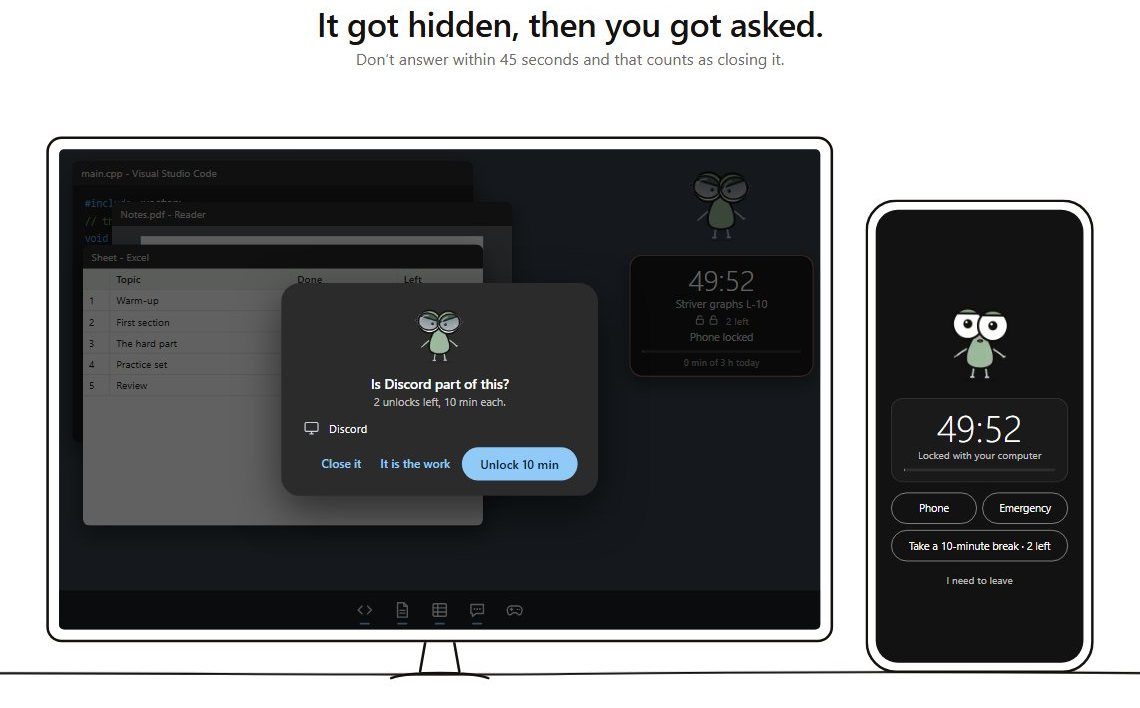
Try to open Discord. Reach for your phone. It takes about a minute, with nothing to install.
Privacy, terms, changelog and safety. Open the folder.
FocusOS, also written Focus OS, is a free productivity app with no sign-up. It locks your Windows computer and Android phone to one focus session. More about FocusOS.
Yes. FocusOS is free and needs no sign-up, account or email. How to choose one.
FocusOS can. Start a session on your Windows computer, press Get a key, and type the key into the Android app. Your phone locks for the same session, and calls still work. Using it to study.
No. There’s no account, sign-in or email address. Download it and start a session.
Your sessions, plans and notes are saved on your own device, where you can read or delete them. They’re never sent to us. Nothing goes online unless you press a button that says so. If you ask for a phone key, the key and the time left are stored in the cloud so your phone can follow the session, then deleted. That holds nothing about who you are.
Yes. There are no paid features, ads or subscription.
No. During a session, pictures are checked for a held phone and whether you’re at the desk, then thrown away. Nothing is saved or sent, and you can turn the webcam off.
Yes, on Android 8 or newer. Press Get a key on your computer and type the key into the FocusOS Android app and the phone locks until the session ends. Calls and emergency calls keep working. iPhones aren’t supported.
Windows 10 and 11.